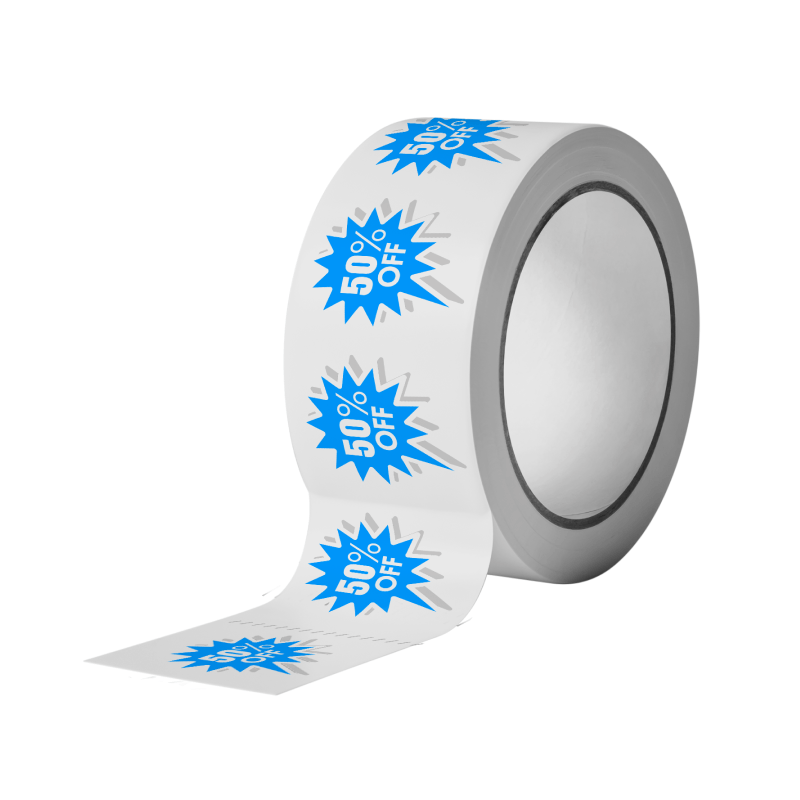
Paper labels are the most popular and cost-effective type of labels that we offer, and can be utilized in a variety of applications and forms of branding. We offer designs printed in rolls of five multi-purpose shapes: choose between rectangle, square, circle, oval, or a custom design of your choice.
- Details
- File Prep
- Approvals Process
- Reviews
Printing Method: Roll Labels are printed using an advanced HP Indigo Digital UV Printing Press that achieves up to 720 x 720 DPI.
Wind Positions: Top of Label dispenses first, Bottom of label dispenses first, Right side of label dispenses first, Left of label dispenses first
Shape: TRANSFER PREMIUM LITE
Labels: TRANSFER PREMIUM LITE / RP51 / 40# WHITE KRAFT Matte-coated, lignin-free label pape
Material: 40# WHITE KRAFT liner
Sheets: RP51 General purpose, strong permanent adhesive
Finishing: None, Matte Lamination, Gloss Lamination, Roll core diameter is 3"
File Type: Print Ready PDF file
Quantities: Ranges from 25 to 50,000
Color: CMYK and White + CMYK - 1 sided (4/0)
Paper Type: This is a 2.9 Mil matte-coated label paper. Use this ultra-smooth, coated material when you need an inexpensive matte stock that you can thermal transfer print upon. Good for most indoor product labeling that requires a permanent adhesive but does not require the highest quality of print. (1 Mil = 0.001 of inch)
Download Setup Guide How to set up multi-page files properly
File Orientation Guide How to set up proper orientation for your files
File Orientation refers to the orientation of the artwork files submitted. Ensure that they are submitted to back up properly to produce the intended result.
Flat Artwork (Postcards, Flyers etc.)

How To Set Up Your Files
Learn how to set up your files the right way.
Learn how to set up your files the right way.
When submitting your artwork for custom shaped labels, prepare colour and design as you would any label file. Moreover, please include the shape dieline as a spot colour called 'Dieline'. While preparing your dieline, keep note of the following:
-
Dieline must be its own layer with no other artwork in that layer
-
Dieline must be a single stroked (not filled) path; not a dashed line or series of lines making an overall shape
White Ink
If you select a White Ink option with your order, please supply a single file that includes CMYK (if necessary) and a spot colour called exactly White_Ink
Do not supply separate files for CMYK and White Ink
If you want white ink to print under a blue colour, you need to set either the blue shape or the White_Ink shape to overprint to achieve this.
You may also want to set a White_Ink shape to knockout so nothing prints on top of it. Remember to set overprints on any Dieline.
If you select Black Only option on your order, the file you supply should be K only (not CMYK or RGB) with a Dieline.
BlackInkOnly
General File Preparation Guidelines
1.Download our guides to ensure a more optimal print result.
2.Be sure to DELETE any hidden layers that are not intended to print (ie: setup guide layers or other hidden artwork layers) to ensure no risk of them appearing on the final print.
3.Each job (including multiple paged projects) must be submitted as a single PDF file. Ensure that all pages are the same size.
4.Files must be submitted with proper orientation to ensure proper back up. Please review the File Orientation Guides carefully in the File Prep tabs for your particular product.
5.It is best to try to avoid using borders in your design. If a border is too close to the trim, the trim may be slightly off-center.
6.File must consist of 1/8" bleed and all important art and text must be within the safety margin. The more safety margin the better (to avoid awkwardly close trims or having critical elements from getting cut off).
7.Ensure that your PDF is high res and that all images are CMYK at 300 DPI.
8.Black text/type should have the following values: C0, M0, Y0, K100.
Larger areas of black coverage should be C:30/M:20/Y:20/K:100 to get a deep richer black. (For more info, click here)
9.Embed or outline all fonts.
10.For best colour results, supply a CMYK only file (unless your product type specifically requires RGB color mode or specifically requires you to supply PMS colors).
Thin White Text on Rich Black Backgrounds
While SinaLite maintains strict quality standards, minor shifts in printing are possible. Thin or small white text knocked out from a rich black background is prone to printing issues, such as color bleeding, filling in, and poor readability due to slight misregistration. We recommend preparing files with the following tips in mind.
-
Use C30 M20 Y20 K100 for Rich Black
Use this recommended rich black formula to minimize oversaturation and registration problems. Avoid heavier CMYK builds like C60 M60 Y60 K100, which can increase color shift risks. - Thicken White Knockout Text Increase the thickness of white text knockouts to prevent them from filling in or becoming unreadable.
- Recommended minimum line weight: 0.75pt Recommended minimum font size: 8pt
- Apply Swelling Swelling (slightly enlarging knockout areas) compensates for minor ink spread on the press. Slightly increasing the size of the white knockout text can help maintain crispness after printing.
Roll Labels Glossary Learn about important roll label terminology to make ordering easier.
Adhesivity
- Permanent labels permanently stick to the surface. Removing them may cause damage to labels or application surface.
- Removable labels can be repositioned and removed without damaging the label or the application surface.
- Permanent labels permanently stick to the surface. Removing them may cause damage to labels or application surface.
- Removable labels can be repositioned and removed without damaging the label or the application surface.
Custom Shape Labels Any shape that is not a circle, oval, rectangle or square. Click here to learn how to prepare your custom shaped artwork.
Any shape that is not a circle, oval, rectangle or square. Click here to learn how to prepare your custom shaped artwork.
Diameter For circle shaped labels, dimensions are measured by diameter in inches.
For circle shaped labels, dimensions are measured by diameter in inches.
Finishing
Lamination is a clear, plastic film applied to labels for added durability.
Matte lamination offers a smooth and non-gloss finish.
Gloss lamination offers a glossy finish.
Lamination is a clear, plastic film applied to labels for added durability.
Matte lamination offers a smooth and non-gloss finish.
Gloss lamination offers a glossy finish.
Ink Color
CMYK Choosing CMYK is standard and for those designs that are exclusively composed of CYAN, Magenta, Yellow and Black.
White + CMYK
Choose this option for artwork where your artwork is CMYK but you also need to have a white color on a material that is itself not white (i.e. Silver poly and clear BOPP). The white ink can also be used as a special effect on your labels..
White Only
Only available with colored fluorescent labels.
Click here to learn how to prepare your artwork for White ink.
Black Only
Only available with colored fluorescent labels.
Click here to learn how to prepare your artwork for Black ink. ink.
CMYK Choosing CMYK is standard and for those designs that are exclusively composed of CYAN, Magenta, Yellow and Black.
White + CMYK
Choose this option for artwork where your artwork is CMYK but you also need to have a white color on a material that is itself not white (i.e. Silver poly and clear BOPP). The white ink can also be used as a special effect on your labels..
White Only
Only available with colored fluorescent labels.
Click here to learn how to prepare your artwork for White ink.
Black Only
Only available with colored fluorescent labels.
Click here to learn how to prepare your artwork for Black ink. ink.
Labels Per Roll Refers to the quantity of labels that will be included in each roll. For example, if you order 5,000 labels and select 1000 labels per roll, you will receive 5 rolls.
Refers to the quantity of labels that will be included in each roll. For example, if you order 5,000 labels and select 1000 labels per roll, you will receive 5 rolls.
Perforation The liner of the roll is perforated between labels allowing them to easily be separated.
The liner of the roll is perforated between labels allowing them to easily be separated.
Stock This refers to the material of your labels on which we will print. Click here to see a comprehensive list of all of our available materials.
This refers to the material of your labels on which we will print. Click here to see a comprehensive list of all of our available materials.
Turnaround The number of business days estimated for your order to be produced. Does not include shipping time.
The number of business days estimated for your order to be produced. Does not include shipping time.
Wind (or Rewind Direction) Refers to the direction that the label feeds off the roll.
Refers to the direction that the label feeds off the roll.
Roll Back Images
Common Issues How to avoid common file issues
Download White Ink Setup Guide
Download HereDownload Roll Labels Dieline Setup Guide

Please note: the Customer is responsible for all approvals and regulatory compliance. Stickersandmore is a printing company and does not approve labels nor review the content for regulatory compliance. If your account has Auto approval enabled, your order will be auto approved within 1 hour of order being placed. Unless the file is rejected, in this case you will receive a rejection email.
Upon placing an order, you will receive a confirmation email stating that the order has been successfully placed.
After processing your order, our prepress team will review your artwork and run automated checks to ensure its print readiness. Once completed, our automated system will send you a link. This link allows you to approve the file to proceed, make changes to the file, or put the order on hold.
In the event that your order has been rejected, you will receive an email notifying you of the rejection. You'll have the option to upload new artwork, place the order on hold, or cancel the order.
Reviews content will go here...